
Set Up Stratafy in Claude Desktop
Connect your Stratafy workspace to Claude and install the strategy skill — takes about 2 minutes.
Prerequisites
- A Stratafy account with a workspace and your MCP connection URL (found in workspace settings under API Keys)
- Claude Desktop installed with a paid plan (Pro, Max, Team, or Enterprise — required for custom connectors)
Part 1: Connect Stratafy
Add Stratafy as a custom MCP connector in Claude Desktop so Claude can read and write to your strategic workspace.
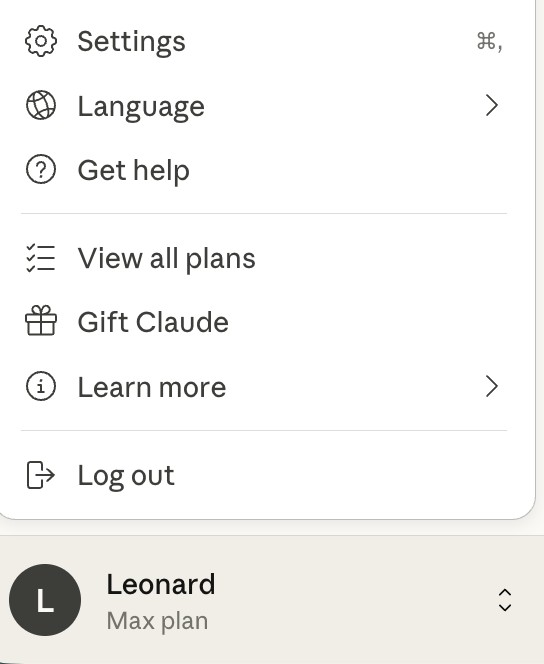
Open Settings
Click your profile icon in the bottom-left corner of Claude Desktop, then select Settings (or press ⌘ ,).
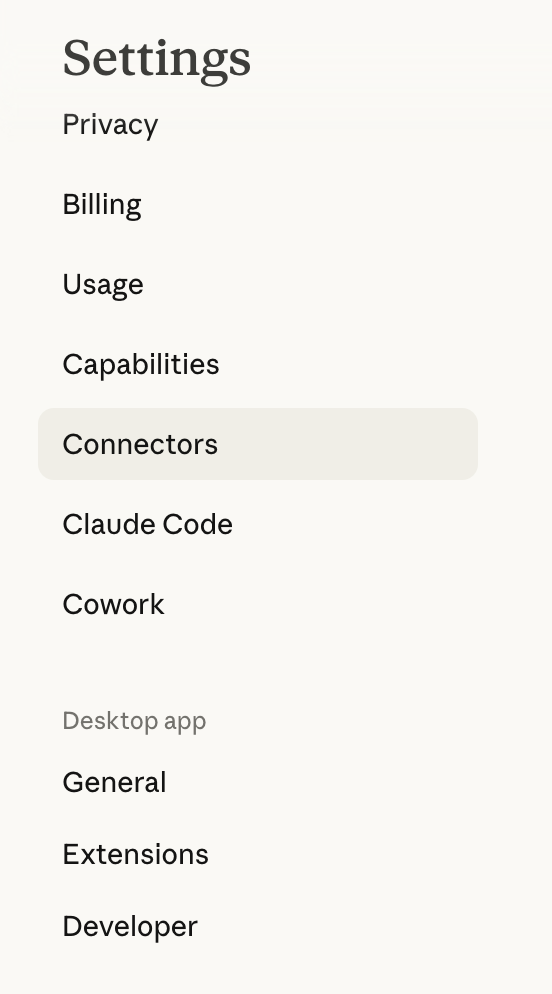
Go to Connectors
In the Settings sidebar, click Connectors.
Add Custom Connector
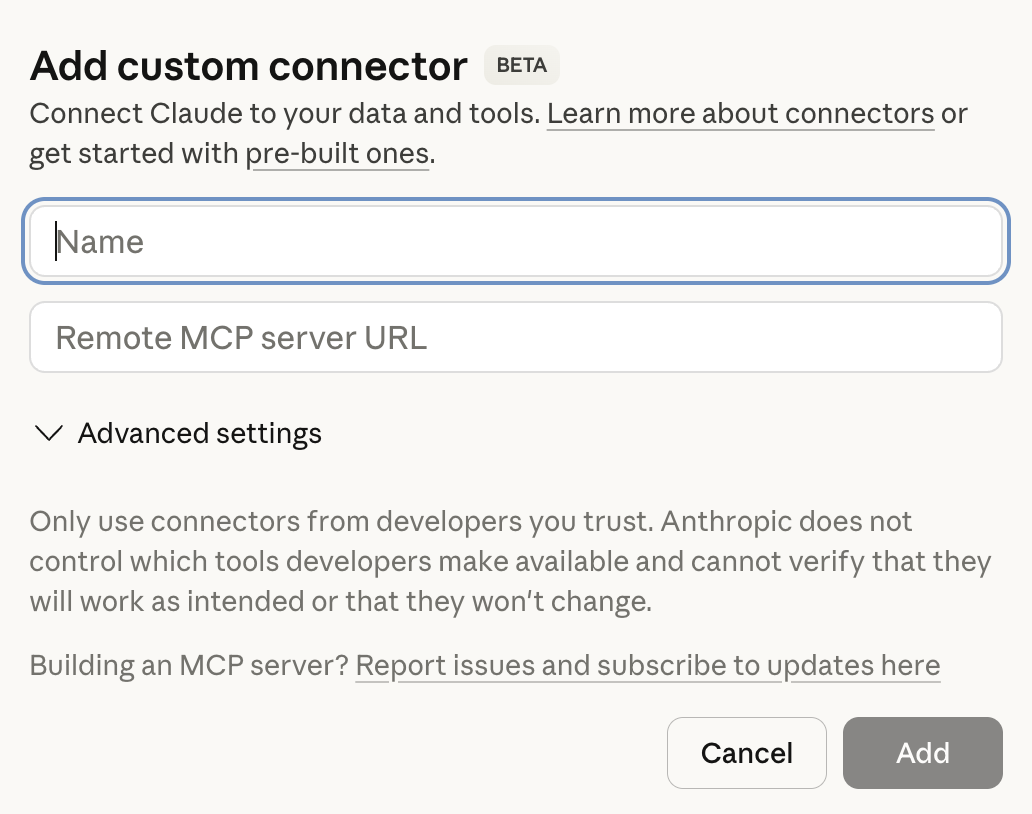
Scroll to the bottom of the Connectors page and click Add custom connector.
Enter Your Connection Details
Fill in the connector form:
- Name:
Stratafy - Remote MCP server URL: Your Stratafy MCP URL with API key included — find this in your workspace settings under API Keys
The URL format includes your API key as a query parameter:
https://stratafy.ai/api/mcp?api_key=sk_mcp_your_key_hereClick Add to save the connector.
Part 2: Install the Strategy Skill
The connector gives Claude access to your workspace tools. The skill teaches Claude how to think strategically — coaching you through building strategy from first principles.
Download and Install the Skill
- Download the skill file below.
- In Claude Desktop, go to Settings → Capabilities → Skills.
- Click Add, then select Upload a skill.
- Upload the downloaded zip file.
- The skill activates automatically when you discuss strategy topics.
Verify Your Setup
Start a new conversation in Claude Desktop and try one of these prompts:
Test the connector
"Show me my Stratafy workspace snapshot"
Claude should call the get_workspace_snapshot tool and show your workspace data.
Test the skill
"Help me think through my strategy from first principles"
Claude should guide you through the foundation layer, starting with mission.
You're all set
Stratafy is connected and Claude knows how to build strategy. Start a conversation and build your strategic architecture.